Key Takeaway
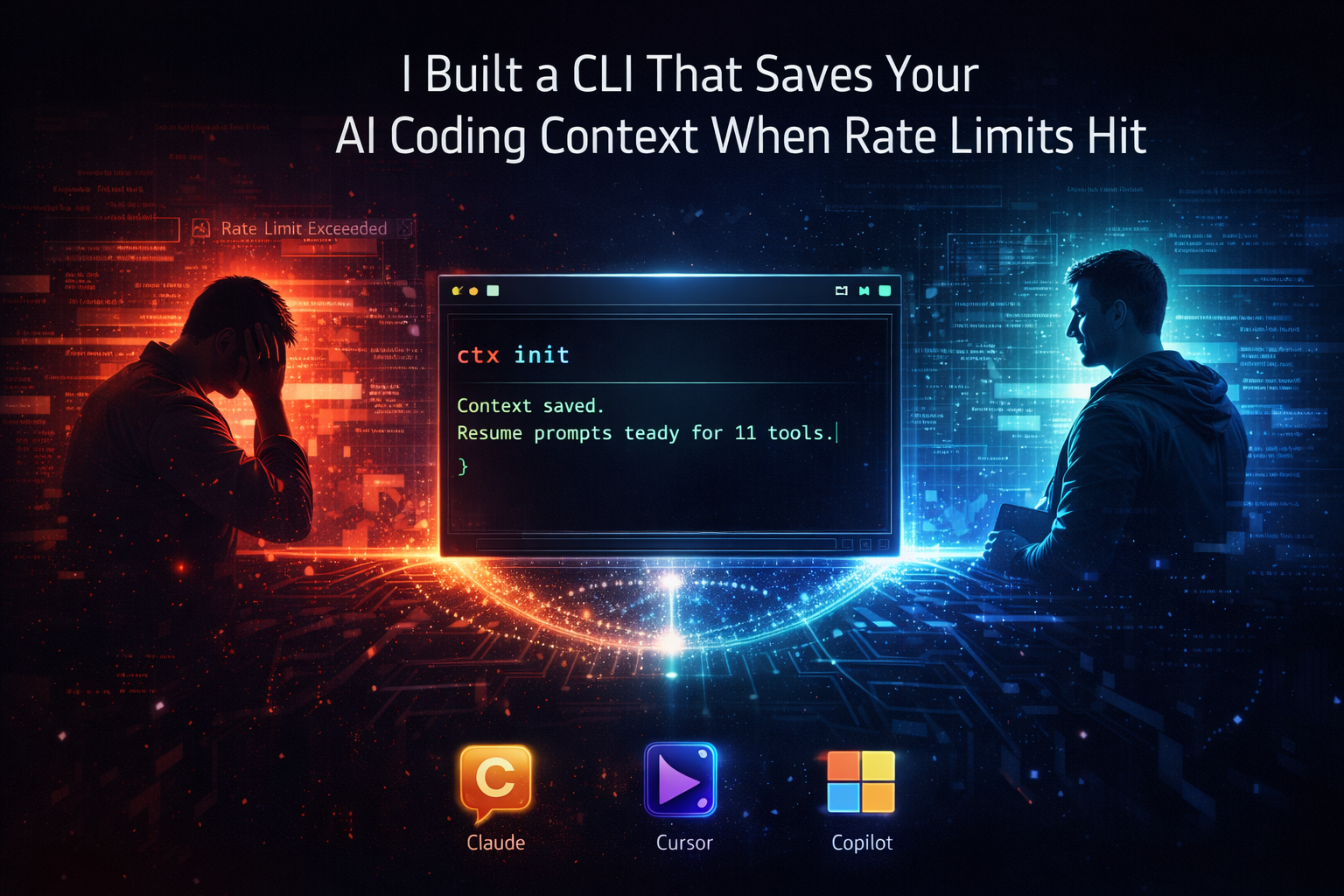
Every time a rate limit kills your AI session, you lose 15 minutes re-explaining everything. I built a zero-dependency CLI + MCP server that auto-saves your context via git hooks — with session search, a Claude Code plugin, and context portability across 11 AI tools.
The 2 AM Disaster
Last Tuesday at 2 AM, I was deep in a coding session with Claude Code. I'd been working on a Firebase auth flow for about 3 hours — the kind of session where the AI finally gets your codebase, knows which files matter, remembers that you chose RS256 over HS256 for a reason, and understands the weird workaround you did in middleware/auth.ts.
Then Claude hit a rate limit.
Session over. Dead. I couldn't even run a command to save what I was working on.
I stared at the screen for a solid 10 seconds. Then I opened Cursor, and it asked me the most painful question a developer can hear after 3 hours of deep work:
"How can I help you today?"
I had to re-explain everything. From scratch. The project structure, the auth flow, the decision about RS256, the files I'd changed, the bugs I'd already fixed. It took me about 15 minutes to get Cursor up to speed. And honestly, it never quite got back to where Claude was.
That 15 minutes broke something in me. Not because it was a lot of time. But because I knew it would happen again. And again. And again.
This Happens to Everyone
I started paying attention after that night. And I noticed a pattern.
I work on 3-4 projects simultaneously. Analytics dashboard in one tab, a strategic platform in another, a client project somewhere else. Each one has sessions running in different AI tools — Claude Code for the heavy lifting, Cursor for quick edits, GitHub Copilot for autocomplete. If you're interested in how I manage complex projects with AI, I wrote about the AI revolution in project management separately.
Every single time I switched tools, I lost context. Every time a rate limit hit, I lost context. Every time I came back to a project after lunch, I lost context.
The context loss tax is real. And nobody was solving it.
I Searched for Existing Tools
I'm not the "build everything from scratch" type. I always check what's out there first.
Ruler (~2,500 stars) does rule-syncing across AI tools really well. ai-rulez takes a similar approach. If you just need to keep your .cursorrules and CLAUDE.md in sync, those tools work.
But none of them save session context — what branch you're on, what you were working on, what decisions you made, what bugs you already fixed. And critically, none of them survive rate limits because they all require you to run a command to save.
| What you need | Ruler / ai-rulez | SaveContext | ai-context-bridge |
|---|---|---|---|
| Sync rules across tools | Yes — this is their strength | No | Yes |
| Save session context | No | Yes | Yes |
| Survive rate limits (pre-saved) | No | No | Yes (git hooks) |
| Session search (TF-IDF) | No | No | Yes |
| MCP server | No | No | Yes (5 tools) |
| Claude Code plugin | No | No | Yes (4 commands) |
| Zero workflow change | Manual sync | Manual save | Automatic |
| Dependencies | Some | SQLite + deps | Zero |
The gap I was trying to fill wasn't "better Ruler." It was a different problem entirely:
The Core Problem
When a rate limit hits mid-session, you can't run any commands. Your context needs to already be saved.
The Insight That Changed Everything
The problem isn't "how do I save my context." The problem is "how do I make sure my context is already saved before I need it."
If you're using Claude Code and it hits a rate limit, you can't run save-my-context or whatever. The session is dead. You can't type anything. The horse has left the barn.
So the saving has to happen before the limit hits. Automatically. Without you doing anything.
And that's when it clicked: git hooks.
Every developer commits code. Every commit is a natural checkpoint. What if, every time you committed, your AI context auto-saved in the background? And what if it pre-generated resume prompts for every tool you might want to switch to?
Then when the rate limit hits — or when you just want to switch tools — you don't need to run anything. You just open a file. It's already there. This is the kind of autonomous tooling that defines the next era of developer workflows.
See It in Action
Here's what ctx init looks like in practice — one command, and your context auto-saves from that point on:
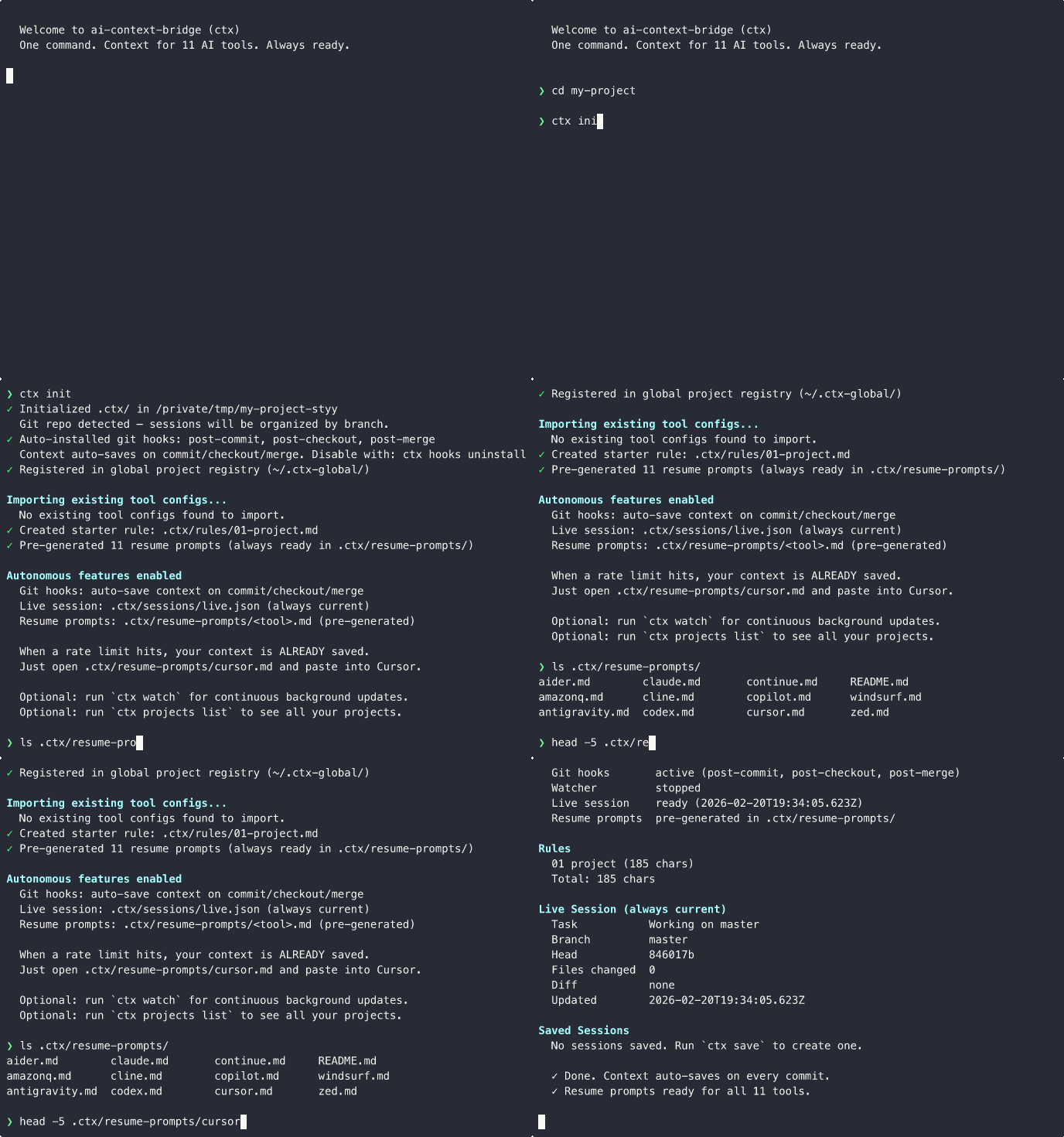
And here's the real payoff — when a rate limit hits, you switch tools in seconds, not minutes:

So I Built It
I spent a weekend building ai-context-bridge (command: ctx). TypeScript, zero production dependencies, published on npm.
1npm i -g ai-context-bridge2cd my-project3ctx initThat's the only command you need to run. Everything else is automatic.
What happens behind the scenes:
Creates context directory
Sets up .ctx/ (or external storage) with config, rules, and session directories
Installs git hooks
post-commit, post-checkout, post-merge — all fire silently in the background
Pre-generates resume prompts
Creates ready-to-paste prompts for all 11 supported AI tools
Registers in global dashboard
Tracks all your projects in ~/.ctx-global/ for multi-project management
From that point on, every time you commit, the hooks fire silently. They capture your current branch, recent commits, changed files, what you're working on — and generate a ready-to-paste resume prompt for all 11 tools.
When the rate limit hits, your prompts are already waiting:
1claude.md ← paste into a new Claude session2cursor.md ← paste into Cursor3codex.md ← paste into Codex4copilot.md ← paste into Copilot5windsurf.md ← paste into Windsurf6cline.md ← paste into Cline7aider.md ← paste into Aider8continue.md ← paste into Continue9amazonq.md ← paste into Amazon Q10zed.md ← paste into Zed11antigravity.md ← paste into AntigravityOpen the file. Paste. Keep working. 10 seconds.
The Rate Limit Scenario — Solved
Before ctx: Rate limit hits → session dead → open Cursor → re-explain everything → 15 min wasted
With ctx: Rate limit hits → open .ctx/resume-prompts/cursor.md → paste → keep working in 10 seconds
The Engineering Challenges
Token-Aware Compilation
Each AI tool has wildly different size limits. This was the hardest engineering challenge:
| Tool | Config Format | Size Limit |
|---|---|---|
| Claude Code | CLAUDE.md | ~100K chars |
| Cursor | .mdc files with YAML frontmatter | ~2.5K/file |
| Codex | AGENTS.md | 32 KiB |
| Windsurf | .windsurf/rules/*.md | 6K/file, 12K total |
| Copilot | .github/copilot-instructions.md | No limit |
| Cline | .clinerules/*.md | No limit |
When you have project rules + session context + recent commits + changed files, and you need to fit it all into Windsurf's 12K limit... what do you cut?
I built a priority-based compiler:
- Session context is never truncated — that's the whole point
- Rules are added in priority order until the tool's budget is exhausted
- Windsurf gets aggressive compression
- Claude gets everything because it has a ~100K char budget
Autonomous Auto-Save via Git Hooks
The auto-save system triggers on natural developer workflows:
| Git Event | What Happens | You Do Nothing |
|---|---|---|
| git commit | Auto-saves context, refreshes all resume prompts | Yes |
| git checkout | Updates branch context, refreshes prompts | Yes |
| git merge | Updates context with merge state | Yes |
| ctx watch | Background watcher refreshes every 30s + on file changes | Yes |
The Public Repo Problem
Here's something I didn't anticipate until it bit me.
I was building ctx in a public GitHub repo. I ran ctx init in my own project. It created .ctx/ inside the repo — with sessions containing details about my private blog drafts, launch strategy, and feature plans. Then I pushed.
Oops.
I accidentally pushed private session data to a public repository. Had to rewrite git history to clean it up.
The irony of a context-saving tool accidentally leaking context was not lost on me.
So I built external storage mode:
1# Private repos — .ctx/ inside the project2ctx init3 4# Public repos — zero files in the project directory5ctx init --externalThe --external flag stores ALL ctx data — config, rules, sessions, resume prompts — at ~/.ctx-global/projects/<project-name>/ instead of .ctx/ inside the project. Zero files created in the project directory.
Git hooks still work because they live in .git/hooks/, which git itself never pushes.
External Mode Benefits
- Zero files in the project directory — nothing to accidentally push
- All commands work identically (path resolution is automatic)
- Git hooks still auto-save on every commit
- Backwards-compatible — internal mode unchanged
Trade-offs
- Rules can't be shared with teammates via git (they're not in the repo)
- Need to re-init if you move the project directory
Multi-Project Was an Afterthought That Became Essential
I work on 3-4 projects simultaneously. After building the core tool, I added a global registry at ~/.ctx-global/ that tracks all your ctx-initialized projects.
1Projects (3)2dtc-dashboard [feature/charts] (live)3 ~/dtc-dashboard (git) — Adding Recharts analytics4 Last active: 5m ago5 6strategic-platform [main] (live)7 ~/strategic-platform (git) — Firebase auth flow8 Last active: 2h ago9 10open-source-lib [main] (live)11 ~/open-source-lib (external) — Building v2 API12 Last active: 1d ago13 143 project(s) with live context ready.This turned out to be way more useful than I expected. Before, I'd context-switch between projects and forget where I left off. Now I run ctx projects list and immediately see what I was doing in each one. It's like a dashboard for your brain.
v1.0: From CLI to Platform
Update — March 2026
Since the original launch, developers made it clear: they don't just want to save context — they want to search it, access it from inside their AI tools, and program against it. v1.0 ships four major new features.
MCP Server — 5 Tools
The Model Context Protocol is an open standard for connecting AI tools to external capabilities. ctx-mcp exposes 5 tools that any MCP-compatible client (Claude Desktop, Windsurf, etc.) can use:
| MCP Tool | What It Does |
|---|---|
| ctx_save | Save current session context — task, decisions, next steps |
| ctx_switch | Save + generate resume prompt for a target AI tool |
| ctx_status | Show current live session state |
| ctx_search | Search past sessions by keyword (TF-IDF ranked) |
| ctx_list_tools | List all 11 supported tools with character budgets |
Setup is one line in your MCP client's settings:
1{2"mcpServers": {3 "ctx": {4 "command": "ctx-mcp"5 }6}7}The MCP server requires peer dependencies (the CLI does not): npm i -g @modelcontextprotocol/sdk zod
Claude Code Plugin
If you use Claude Code, you can install ctx as a native plugin with 4 slash commands:
1# Add the marketplace (one-time)2claude plugin marketplace add himanshuskukla/ai-context-bridge3 4# Install the plugin5claude plugin install ctx@ai-context-bridge| Slash Command | What It Does |
|---|---|
| /ctx:save | Save session context — captures task, branch, decisions |
| /ctx:switch | Save + switch to another AI tool |
| /ctx:status | Show current session state |
| /ctx:search | Search past sessions by keyword |
Session Search (TF-IDF)
The most requested feature after launch. ctx search <query> finds any past session by keyword, ranked by relevance:
1$ ctx search "auth middleware"2 3Search Results for "auth middleware"4 5#1 sess_2026-02-28T14-30-00_001 (score: 0.847)6 Task: Fix JWT validation in auth middleware7 Branch: fix/auth-middleware8 Matched: task, decisions9 10#2 sess_2026-02-25T09-15-00_003 (score: 0.623)11 Task: Refactor authentication flow12 Branch: feature/auth-v213 Matched: task, nextSteps14 152 results foundFilter by branch with --branch, limit results with --limit. The MCP server also exposes ctx_search, so you can search from inside any MCP client.
Relevance-Ranked Compilation
Before v1.0, the compiler added context in a fixed order. Now it ranks context by relevance to the current session. Tools with tight budgets (Cursor at 2.5K, Windsurf at 6K) get the most important context first — not bluntly truncated text, but prioritized context.
The Vibe Coding Paradox
I should be honest about something. I'm not the kind of developer who dreams in assembly or has opinions about Rust lifetimes. I'm a project manager by profession. I think in systems, workflows, and business problems. I've built AI agents and shipped real products over the past year — all through vibe coding.
And yet I built a TypeScript CLI tool with 11 adapters, a priority-based token compiler, a git hooks system, and a global project registry. Published on npm. 157 tests passing.
How?
AI. I built this entire thing with Claude Code. Not "AI assisted" in the polished LinkedIn sense — I mean I described what I wanted in plain English, Claude wrote the code, I tested it, we iterated. I've written about why the right strategy matters more than the tool itself — and this project proved it.
Here's the funny part. The whole time I was building ctx with Claude Code, I kept hitting the exact problem the tool is designed to solve. Rate limits would hit mid-session. I'd switch to a new session. Context gone.
I started using ctx on itself during development. Running ctx init in the repo, committing regularly, and when Claude's session died, I'd open .ctx/resume-prompts/claude.md and paste it into a new session. It actually worked. The new session picked up exactly where the old one left off.

A project manager who thinks in systems, not syntax, building a developer tool with AI to solve a problem caused by AI. The tool kept saving itself during its own creation. That's either poetic or absurd — probably both.
What I Learned
Key Takeaways
- 1The best developer tools solve invisible problems. Context loss isn't dramatic — nobody tweets about it. But it happens dozens of times a day to millions of developers.
- 2Zero dependencies is a feature. The whole thing runs on Node.js built-ins. Startup is instant. Install is 62 KB. No native compilation. No build issues. Just works.
- 3Autonomous beats manual every time. The first version required manual saves. Making it automatic via git hooks was the difference between 'nice idea' and 'actually useful.'
- 4External storage matters for open source. One accidental push of session data to a public repo taught me that the --external flag isn't optional — it's essential.
Try It
1# Install2npm i -g ai-context-bridge3 4# Private repos5cd your-project6ctx init7 8# Public/open-source repos (zero files in project)9ctx init --external10 11# That's it. Work normally. Commit normally.12# Your context is always saved.13 14# Optional: MCP server (for Claude Desktop, Windsurf, etc.)15npm i -g @modelcontextprotocol/sdk zod16 17# Optional: Claude Code plugin18claude plugin marketplace add himanshuskukla/ai-context-bridge19claude plugin install ctx@ai-context-bridgeZero Dependencies. 11 Tools. MCP Server. Claude Plugin. Open Source.
Tests: 157 passing | License: MIT | Version: 1.0.1
GitHub: github.com/himanshuskukla/ai-context-bridge | npm: ai-context-bridge
I'd genuinely love to hear what you think. If you're one of those developers who uses Claude and Cursor side by side (I know there are a lot of us), I think this will save you a surprising amount of time and frustration.
And if you hit a rate limit right now... well, at least next time you'll be ready.